


How to Give Wholesale Tiered Prices Only to Customers Tagged Wholesale on Shopify
Say your café buyers get 25% off from 12 items and 35% off from 48. Retail shoppers shouldn't, and a tag on the customer doesn't change a price by itself.
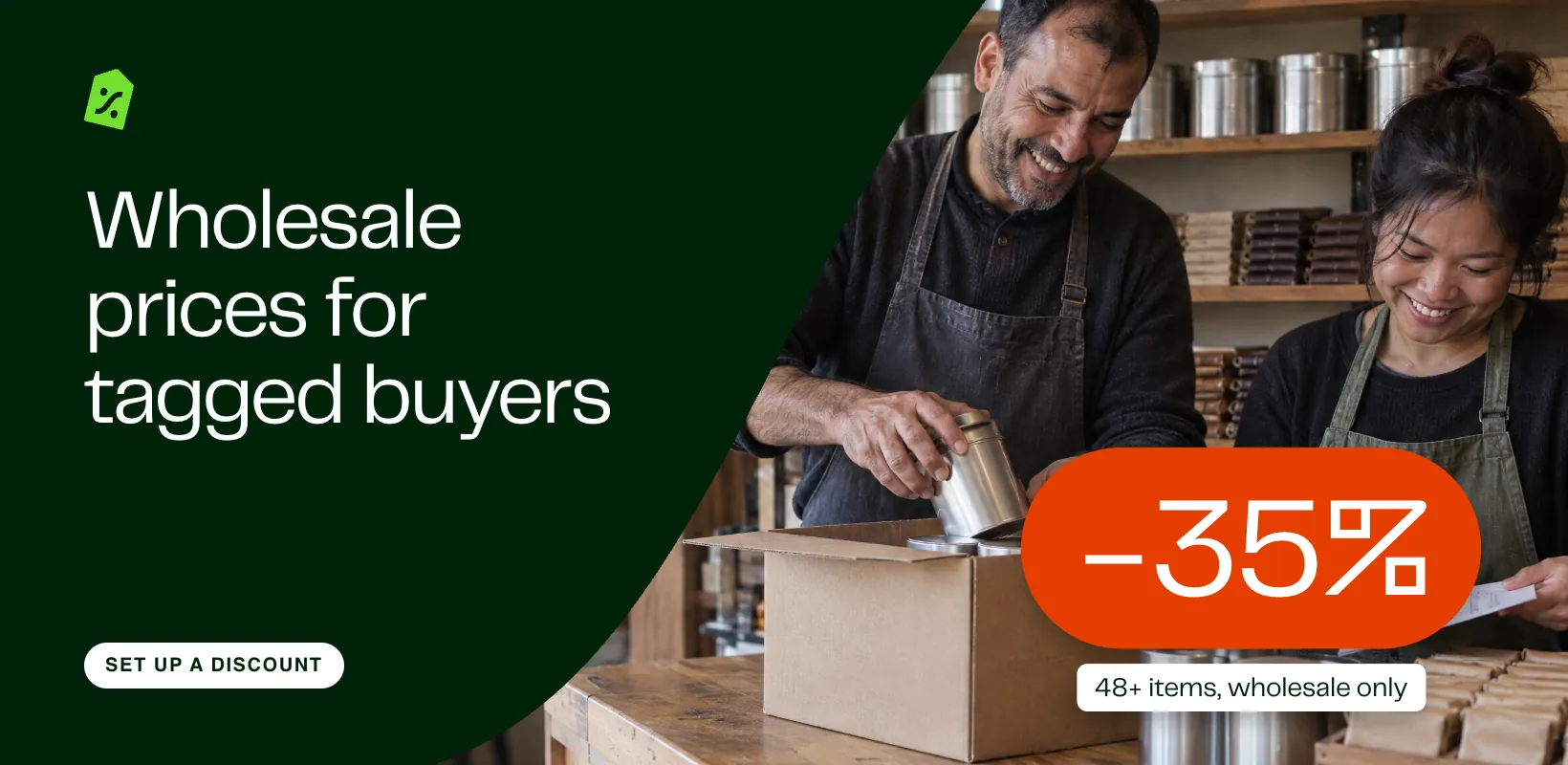
In Discounty: Quantity discount See how Shopify quantity discounts work
To give wholesale prices only to customers tagged wholesale on Shopify, turn the tag into a customer segment and limit a quantity discount to it. Shopify can do this with one automatic discount per tier, or with B2B catalogs once your buyers are set up as companies. Discounty is a Shopify discount app, and its Quantity discount puts every tier in one campaign limited to the segment, on the Discounty plan and up.
How do you give wholesale prices to tagged customers in Shopify?
A tag on a customer changes no price, and a Shopify discount can’t target a tag directly. It can target Specific customers picked one by one, or a customer segment, and a segment keeps itself up to date as you tag and untag. In Shopify, go to Customers > Segments, click Create segment, add a filter on customer tags with the value wholesale, and save it as Wholesale.
Then, following Shopify’s guide to amount off discounts, make one automatic discount per tier:
- Create an Amount off products discount with the Automatic discount method. Pick the products and enter 25%.
- Under minimum purchase requirements, set Minimum quantity of items to 12. Under Eligibility, choose Customer segments and pick Wholesale. Leave Combinations unticked.
- Create a second one the same way: 35% from 48. Two product discounts on one item don’t add up, so a buyer who reaches 48 gets the bigger one. On Shopify Plus, discounts set to combine can add up.
The other route is Shopify B2B. You set each wholesale buyer up as a company and add them to a B2B market with a catalog of their own prices, quantity rules and quantity price breaks. Shopify’s B2B features by plan lists it on the Basic, Grow, Advanced and Plus plans, not Starter or Retail. Below Plus, catalogs are limited: Basic, Grow and Advanced allow up to 3 active catalogs across all your B2B markets.
If you have two tiers on a few products, Shopify’s own discounts do the job. Discounty helps when you want every tier in one campaign and one automatic slot, New price tiers, or one code that holds every tier.
Where it breaks: wholesale tiers, segments and guest checkout
- Every tier is another discount. Two tiers take two of Shopify’s 25 automatic discount slots, and a third tier takes a third.
- Guests don’t match. An automatic discount can only see a customer who is logged in. A café that checks out as a guest isn’t matched to the segment and pays retail. A code limited to the segment applies once the checkout email matches, but in Shopify that is one code per tier.
- The product page shows the retail price. A discount comes off in the cart, so the café sees $14 on the tin until the cart.
How do you set wholesale tiers for a segment with Discounty?
In Discounty this is a Quantity discount campaign limited to a segment. Limiting it to a segment needs the Discounty plan (named after the app) or above; the pricing page lists what each plan costs. More than one tier needs the Essential plan, so the Discounty plan covers both.
The example: a tea shop sells Earl Grey Loose Leaf at $14 a tin and Dark Chocolate 72% at $6 a bar. Cafés tagged wholesale get 25% off from 12 items and 35% off from 48, in any mix. Create the Wholesale segment in Shopify first, as above.
- In Discounty, open Campaigns, click Create campaign and choose Quantity discount. Give it a name you’ll recognise, such as “Wholesale: 25% off 12+, 35% off 48+”.
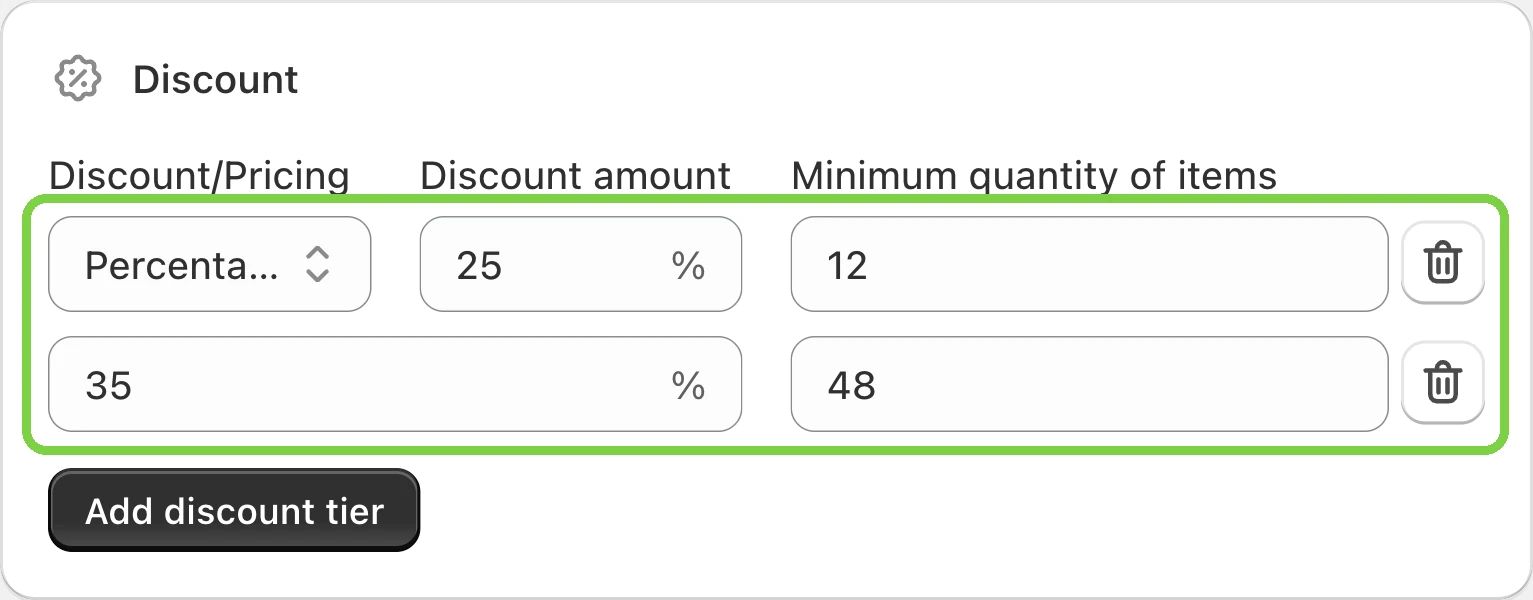
- In Discount, choose Percentage, enter 25, and set Minimum quantity of items to 12. Click Add discount tier and enter 35 and 48.
- In Discount conditions, keep Mix of products, so tea and chocolate count together toward a tier.
- In Products, pick the two products under Products and variants, or choose a collection or product tag that holds your wholesale range.
- In Customer selection, choose Specific customer segments, click Browse, tick Wholesale and click Add. If it isn’t in the list, the picker links to Shopify’s Segments page: create it there, then come back. The card’s text says “discount code” on this type too; it works the same. The customer segments guide covers each option.

- Set the Start date and leave the end date off for a standing wholesale price. Save, then click Activate.
Can a discount code be limited to a customer segment?
Yes. In Shopify, a code discount has the same Eligibility > Customer segments option, with one code per tier. If your cafés won’t log in, Discounty’s Advanced discount code limited to the Wholesale segment holds every tier in one code. A guest can type the code, and it applies once the checkout email matches the segment. Its Product discount takes the same Minimum quantity of items tiers; turn off its Order discount and Shipping discount cards, which start on. It needs the Essential plan for the code and the Discounty plan for segments.
What does each buyer pay with the wholesale tiers?
Three buyers add tea and chocolate to the cart. Two are cafés in the Wholesale segment and logged in; one is a retail shopper.
The retail shopper’s 12 tins reach the first tier, but the segment decides, not the quantity. If the first café checked out without logging in, it would pay the full $176.
What should you check before wholesale buyers order?
- Retail shoppers can still see the tiers. Discounty doesn’t hide the Quantity discount tier table, or the “Up to 35% off” badge on product cards if you switched it on, from shoppers outside the segment. Shopify still checks the segment when it prices the cart. Both are switched under Customization > Quantity/Value table for the whole store, so turning them off also hides tiers for retail campaigns.
- Retail tiers on the same products. A product gets one Discounty campaign at a time, and two Quantity discounts can’t combine, so the one activated first keeps the product, and no setting changes that. Give wholesale tiers to products without retail tiers. A Bulk price editor sale can combine: in Campaign combinations, tick the Bulk price editor campaigns in the wholesale campaign, and the Quantity and Cart goal campaigns in the sale. The tier then comes off the sale price. One exception: a Bulk price editor sale that sets a New price does not combine this way, so use a percentage or amount sale if you want the wholesale tier on top.
- Buyers need an account. Each café signs in with the email on its tagged customer record. Without that, use the code route above.
- Test both sides. Tag a test customer, give it a few minutes, log in and add 12, then 48 items. Then try a customer without the tag, and a guest.
- Add buyers or change segments. Tag a new café in Shopify and the segment picks it up; the tier table can take a few minutes to follow. To change which segments the campaign uses, deactivate it, edit Customer selection, Save, then Activate again.
How to undo it
- Shopify discounts: open each one under Discounts and click Deactivate.
- A Discounty Quantity discount: click Deactivate. The campaign shows Reverting while the discount is removed, then Expired. Campaign statuses in Discounty explains each status.
- One buyer only: remove the wholesale tag from that customer in Shopify, and they leave the segment.
 What Is a Quantity Discount? How to Add Breaks on Shopify
 What Is a Tiered Discount? Set Up Tiered Pricing on Shopify
 What Is MOQ? Tips and Strategies to Optimize It