


What Is Lumos? Set Up a Shopify Sale in One Sentence With Discounty's AI
Type the sale the way you would say it, such as 20% off all soaps from Friday to Sunday. Lumos picks the campaign type, fills in the discount and the dates, and waits for you to save.

You know the sale you want: 20% off all soaps, Friday to Sunday. Type exactly that into Lumos, the AI assistant built into the Discounty Shopify app, and it picks the campaign type, opens the form and fills in the name, the 20% and both dates. Nothing reaches your store until you click Save.
Lumos is on every Discounty plan, free Starter included. Besides building campaigns, it answers questions about the ones you run, explains why a discount isn’t showing, and suggests what to run next.
Describe a weekend sale in one sentence
Click Ask Lumos and type “20% off all soaps from Friday to Sunday”. You don’t have to name a campaign type.
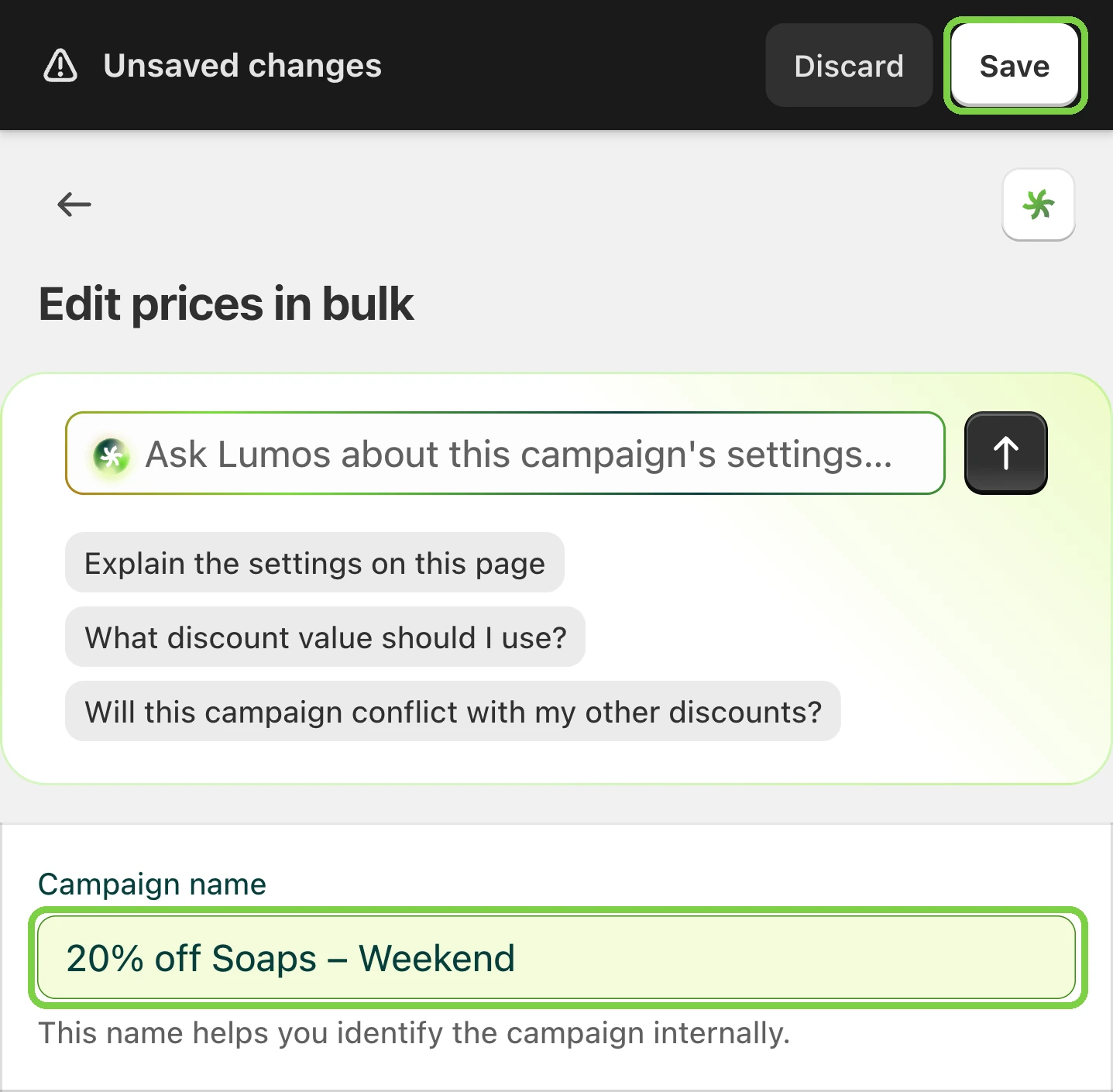
For a sale like this one, Lumos picks Bulk price editor. That type changes the products’ real prices when the sale starts and puts them back when it ends, so nobody has to remember to undo the sale on Monday. The form opens with the name, the discount (Percentage, 20) and both dates filled in. Every field Lumos fills is highlighted, so you can see at a glance what it set.
The reply tells you what is left
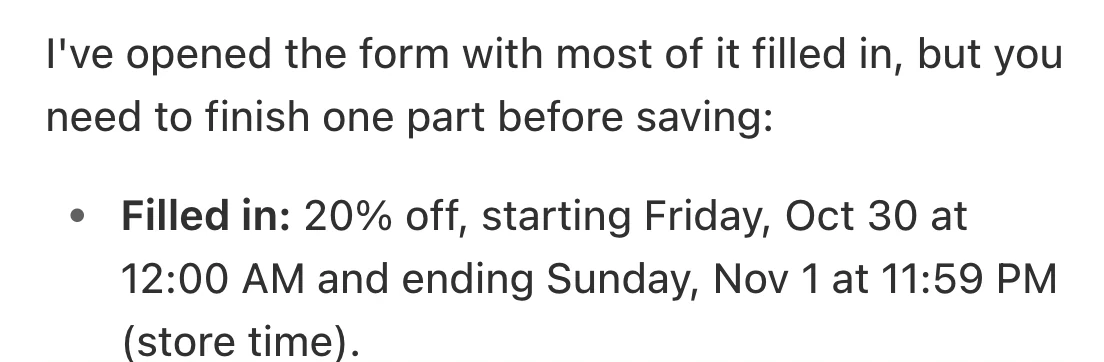
Next to the form, Lumos’s reply sums up what it filled in, with the dates in your store’s time. Then it lists anything it couldn’t fill, such as the products. Pick those in the form, and the campaign is ready to save.
What you can ask Lumos
Lumos reads your campaigns and the products in them, inside the Discounty app. Type your own sentence, or tap one of the suggestions it shows on most pages.
| You want to | Try asking | What Lumos does |
|---|---|---|
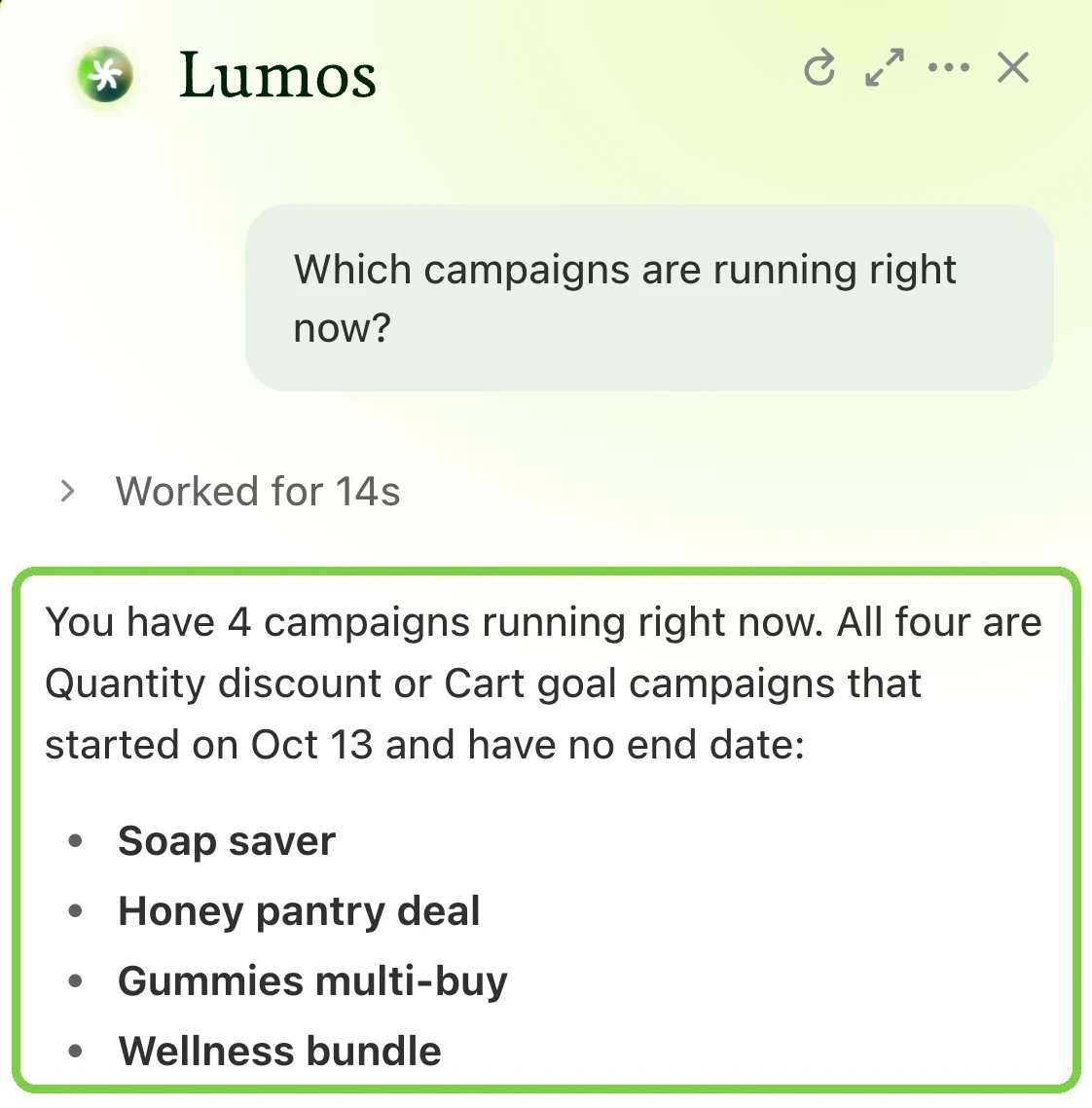
| See what is running | "Which campaigns are running right now?" | Answers from your own campaigns |
| Create a campaign | "20% off all soaps from Friday to Sunday" | Picks the campaign type and fills in its form for you to save |
| Check a campaign before you save | "Will this campaign conflict with my other discounts?" | One of the suggestions on every campaign form, next to "Explain the settings on this page" |
| Understand a problem | "Why isn't my discount showing on my store?" | Explains why a discount isn't applying or showing |
| Plan the next sale | "Suggest a promotion I could run for slow-moving products." | Suggests a promotion from what you sell |
| Deactivate, activate or delete a campaign | Ask for it by the campaign's name | Opens Discounty's confirmation dialog; nothing changes until you confirm |
| Set up what shoppers see | Ask for the widget, on the campaign's page | Fills in the widget settings: tiered discount table, cart savings, countdown timers, Buy X get Y pop-up, shipping progress bar |
| Get stuck | Ask for a person | Opens a conversation with Discounty's support team and passes on what you were doing |
Lumos builds the campaign types your plan includes. On the free Starter plan that means Bulk price editor, Quantity discount and Cart goal, with up to 3 campaigns and 10 variants on sale. Buy X get Y and Shipping discount start on Lite; Advanced discount code and countdown timers on Essential.
When Lumos builds a campaign, ask it to set up the matching widget too. A discount whose widget is switched off still applies at checkout, but shoppers don’t see it on your store.
How to set up a Shopify discount with Lumos
- Open Discounty from your Shopify admin. Lumos works from there; open Discounty any other way and it says “Lumos can’t use this sign-in.”
- Click Ask Lumos at the top right of any Discounty page. The chat opens on the right.
- Type the sale: the discount, the products and the dates.
- Check the form Lumos opens, and fill in anything its reply lists as left for you.
- Click Save, then Activate. With a future start date, the campaign shows Scheduled until it begins.
If the form doesn’t fill in, or Lumos shows a message you don’t recognise, how to use Lumos in Discounty explains each one.
You stay in control
- Nothing is saved without you. Lumos fills in the form; the campaign exists only after you click Save. Deactivating, activating or deleting a campaign waits for you to confirm in Discounty’s own dialog.
- Changing your mind is easy. Click Discard on a form you haven’t saved, or close the confirmation dialog without confirming. A saved campaign is an ordinary campaign: edit or delete it from Campaigns. An Active campaign has to be deactivated first, and when you activate it again, set its end date again, or it runs with no end. Campaign statuses in Discounty says what each status allows.
- Your plan sets the limits. A setting your plan doesn’t include stays off. The Discounty pricing page lists what each plan covers.
- Discounts only. For your theme, orders, products or Shopify settings, use Shopify Sidekick in your Shopify admin.
- You check before you save. The panel says so under every chat: “Lumos can make mistakes. Review campaigns before publishing.”
When to use Shopify Sidekick or an AI app instead
Discounty works with three kinds of AI assistant. Which one fits depends on where you are working:
| Assistant | Use it for | Where you use it |
|---|---|---|
| Lumos | Building and managing discounts: it fills in campaign and widget settings for you to save | Inside Discounty |
| Shopify Sidekick | Questions across the whole store, Discounty discounts included. How Discounty works with Sidekick | Your Shopify admin, where Shopify offers it |
| An AI app such as Claude or ChatGPT | Questions about your campaigns and results next to your other work. Read-only: it can't change anything. ChatGPT needs a paid ChatGPT plan. How to connect one | The AI app you already use |
 How to Schedule a Shopify Sale That Starts and Ends by Itself
 How to Put a Whole Shopify Collection on Sale, With the Old Price Crossed Out
 AI Upsell: How to Aim Offers at the Right Customers