


FAQs about Buy X get Y (BXGY) campaigns
Answers to common Buy X get Y questions: BOGO, free gifts, auto-add, tiered rewards, combinations, POS and limits.
Buy X get Y campaigns reward customers with a free or discounted product when they buy something else, which makes them a good fit for BOGO offers, free gifts and bundles. Below are answers to the questions merchants ask most often about setting them up, delivering the reward, combining them with other discounts, and their limits. For the full step-by-step setup, see How to create a Buy X get Y (BXGY) campaign in Discounty?
How do I create a Buy X get Y campaign?
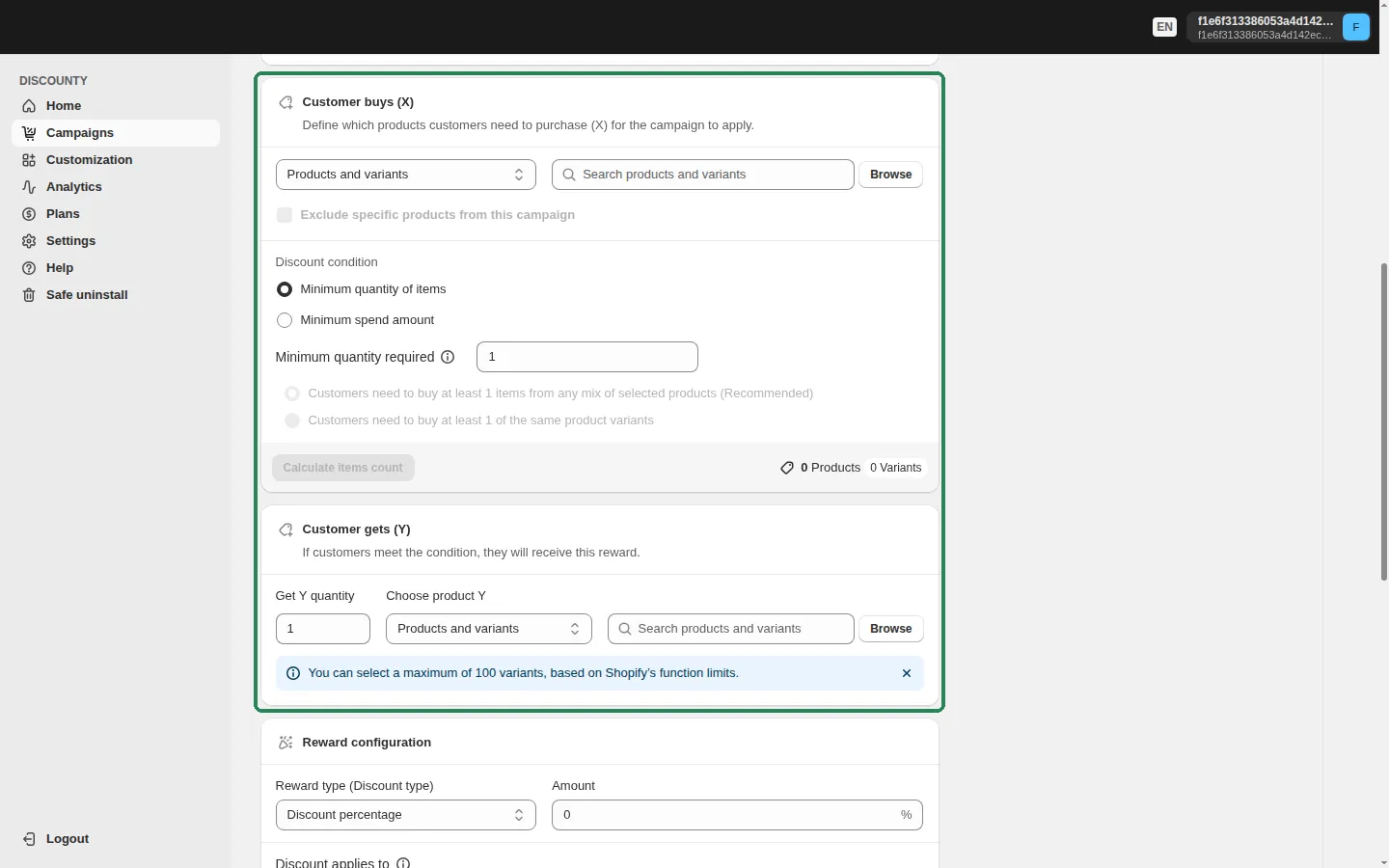
In Discounty, go to Campaign types and choose Buy X get Y. Buy X get Y is available on the Lite plan and above. The form has three main sections: Customer buys (X) (the products and the minimum quantity or spend that unlock the offer), Customer gets (Y) (the reward products and the Get Y quantity), and Reward configuration (the discount on the reward and how the customer receives it). Buy X get Y campaigns apply automatically in the cart by default. You can also choose the Discount code method, where customers enter a code at checkout. The complete walkthrough is in How to create a Buy X get Y (BXGY) campaign in Discounty?
Can I run a BOGO (buy one, get one free) or free gift campaign?
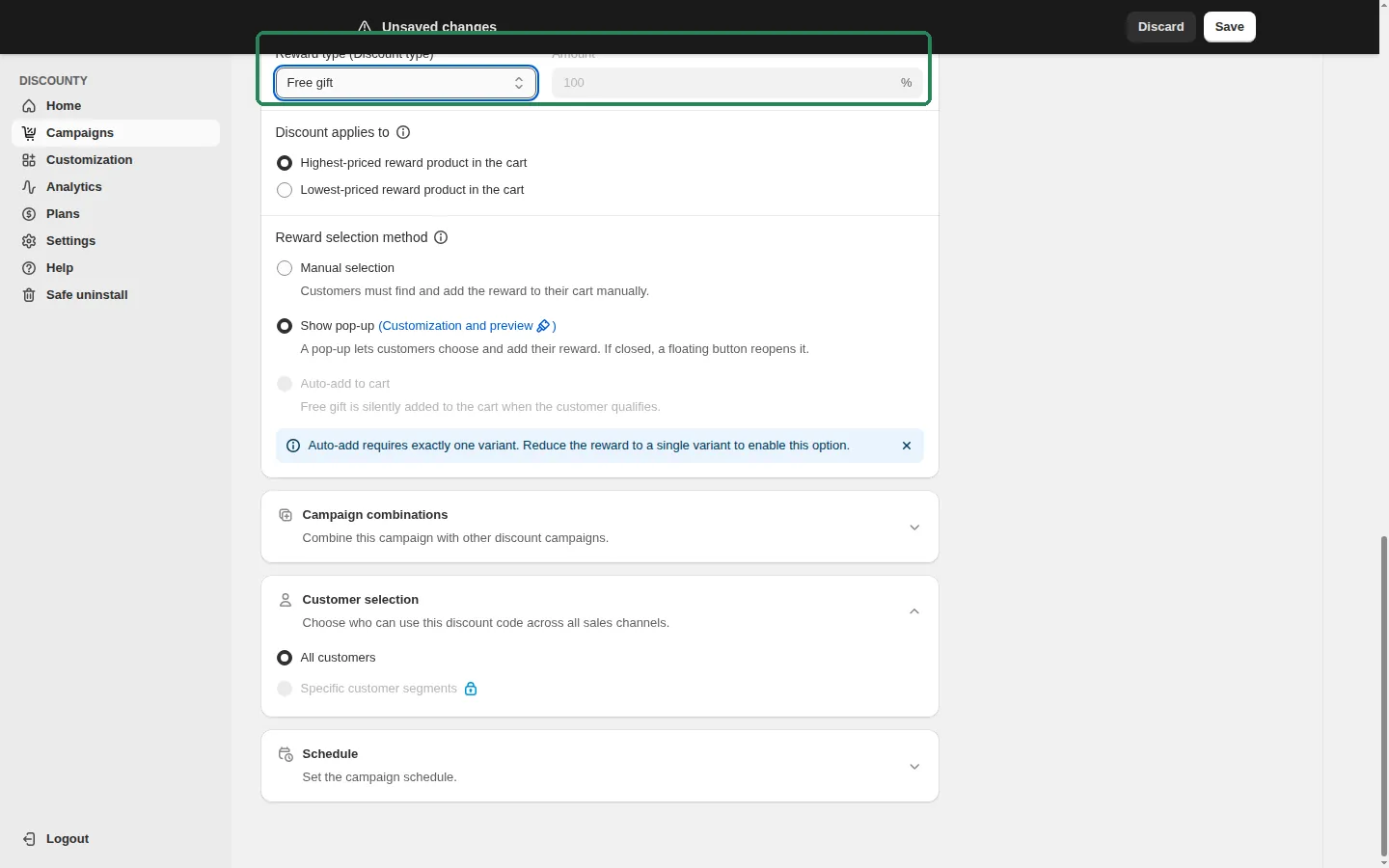
Yes. Both are Buy X get Y campaigns. In Reward configuration, set Reward type (Discount type) to Free gift. The Amount locks to 100%, so the reward item is free. For a classic BOGO, set Minimum quantity required to 1 in Customer buys (X) and Get Y quantity to 1 in Customer gets (Y). For a gift with purchase, pick the gift product under Choose product Y and set the qualifying products and quantity under Customer buys (X).
You can also start from a template: on the Campaign types page, open Templates & use cases and choose Free gift with purchase (buy 2 items, get a free gift) or Buy X get Y at a discount (buy 2 items, get 50% off the third).
Can I create a "Buy X get X" campaign, where the reward is the same product?
Yes. There's no separate "Buy X get X" campaign type, but you can build it with Buy X get Y by selecting the same product in both Customer buys (X) and Customer gets (Y). The units that count toward the "buy" condition aren't discounted. Only the extra units are. For example, with "buy 2, get 1 free" on the same product, the customer needs 3 units in the cart: 2 count as X and the third is free. The reward is delivered by the Reward selection method you choose (manual, pop-up or auto-add), with the same conditions as any other Buy X get Y campaign.
How does the customer receive the reward?
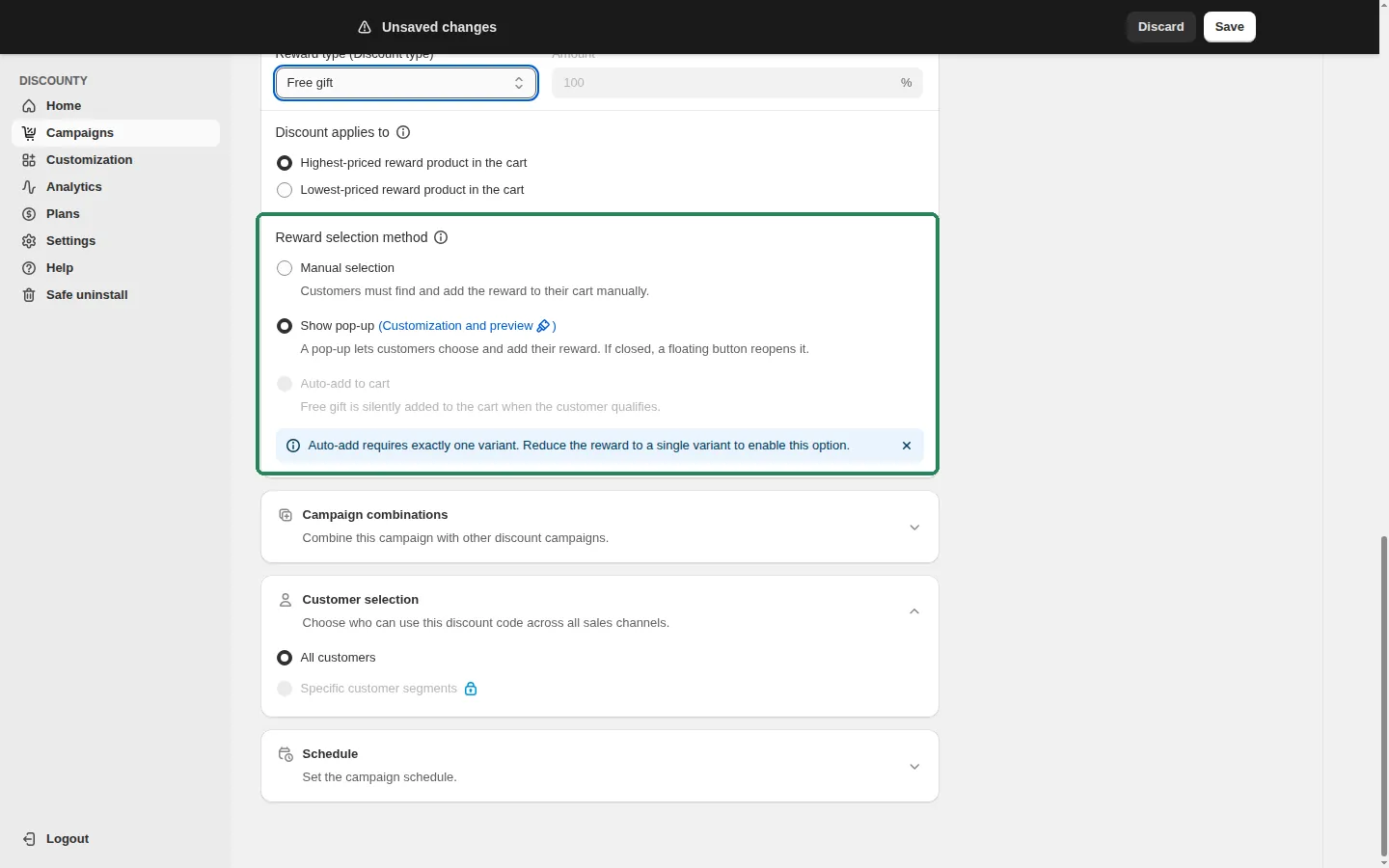
In Reward configuration, the Reward selection method controls how the reward reaches the customer:
Manual selection: customers find and add the reward to their cart themselves. The discount applies automatically once the reward is in the cart.
Show pop-up: a pop-up lets customers choose and add their reward. If they close it, a floating button reopens it. Show pop-up is available on the Lite plan and above, and only when the reward products are chosen as Products and variants (not collections, tags or the whole store). When your plan includes it, new campaigns start with Show pop-up selected. See How does the Buy X get Y reward pop-up work? and How do I customize the Buy X get Y pop-up and floating button?.
Auto-add to cart: the free gift is silently added to the cart when the customer qualifies. See the next question for its conditions.
Can the free gift be added to the cart automatically?
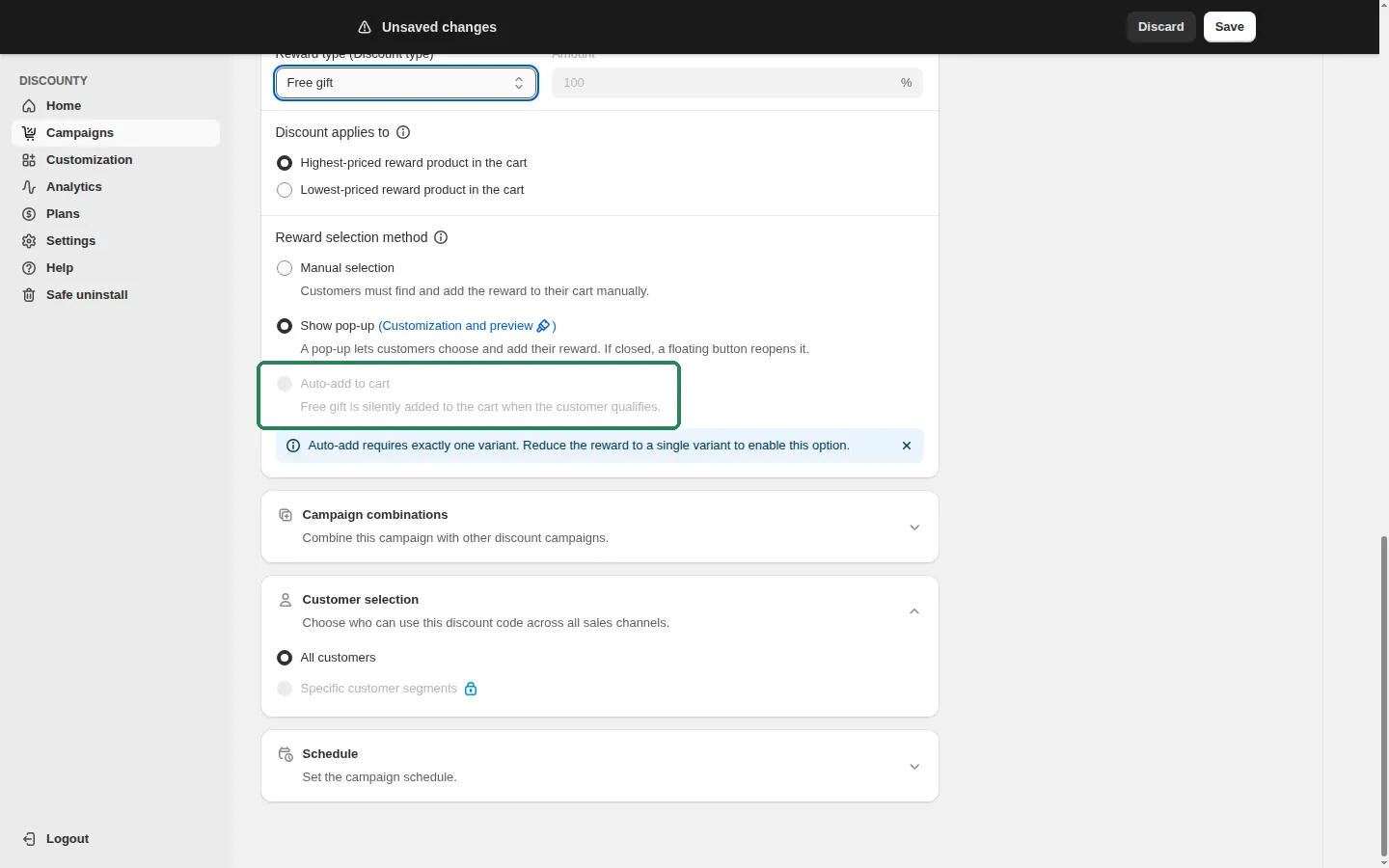
Yes. In Reward configuration, set Reward selection method to Auto-add to cart (Essential plan and above). When the customer meets the Customer buys (X) condition, the gift is added to the cart with nothing to click. If the customer stops qualifying (for example, they remove the qualifying items), the gift is removed automatically. If the customer removes the gift themselves, it isn't added back until their cart has been emptied. On Shopify POS, the same behaviour comes from the Discounty Free Gifts tile on the POS home screen.
Auto-add has two requirements, and the option stays disabled until both are met: the reward must be a Free gift (100% off), and the reward must be exactly one variant. If you later change the reward so it no longer qualifies, the campaign reverts to Manual selection. Auto-add also needs the Discounty app embed turned on in your theme, because the widget that adds the gift runs from there.
Do gift items count toward the "Customer buys (X)" condition?
No. A free gift that Discounty adds to the cart automatically never counts toward the X condition, whether it's a quantity or a spend condition. This applies even when the gift product is also one of your X products, so a gift can't unlock itself or another reward.
Can I set up tiered rewards (Buy 2 get 1, Buy 4 get 2)?
Not in a single campaign. A Buy X get Y campaign gives a fixed Get Y quantity once the Customer buys (X) condition is met. The reward doesn't grow with how many qualifying items the customer adds, so a "buy 2, get 1" campaign gives one reward whether the customer buys 2 or 4 qualifying items. For progressive rewards, create a separate Buy X get Y campaign for each threshold. Discounty warns you when the same product is used as X in more than one Buy X get Y campaign, because the discounts may overlap. If you want percentage tiers on the same products instead, use a Quantity discount campaign (more than one tier is available on the Essential plan and above).
Can the reward be unlocked by spend instead of quantity?
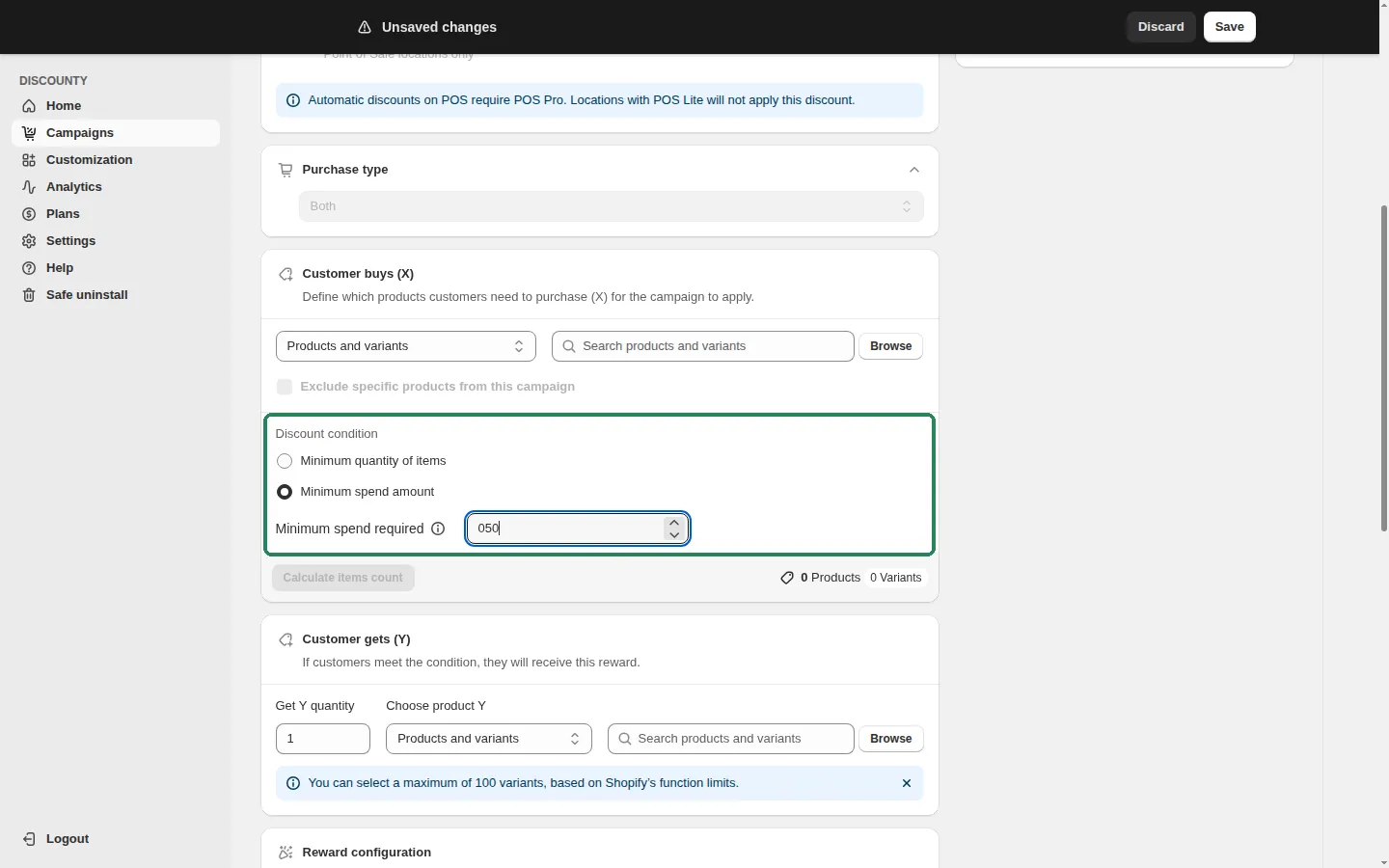
Yes. In Customer buys (X), the Discount condition can be Minimum quantity of items or Minimum spend amount. With a spend condition, the reward unlocks once the customer's spend on the selected X products reaches the amount you set, and no X units are "used up". With a quantity condition, you can also choose whether customers need the quantity from any mix of selected products or of the same product variants. Spend-based setups are covered in How do I trigger a Buy X get Y reward by amount spent (Spend X get Y)?.
Can a product be in both a Buy X get Y campaign and another discount?
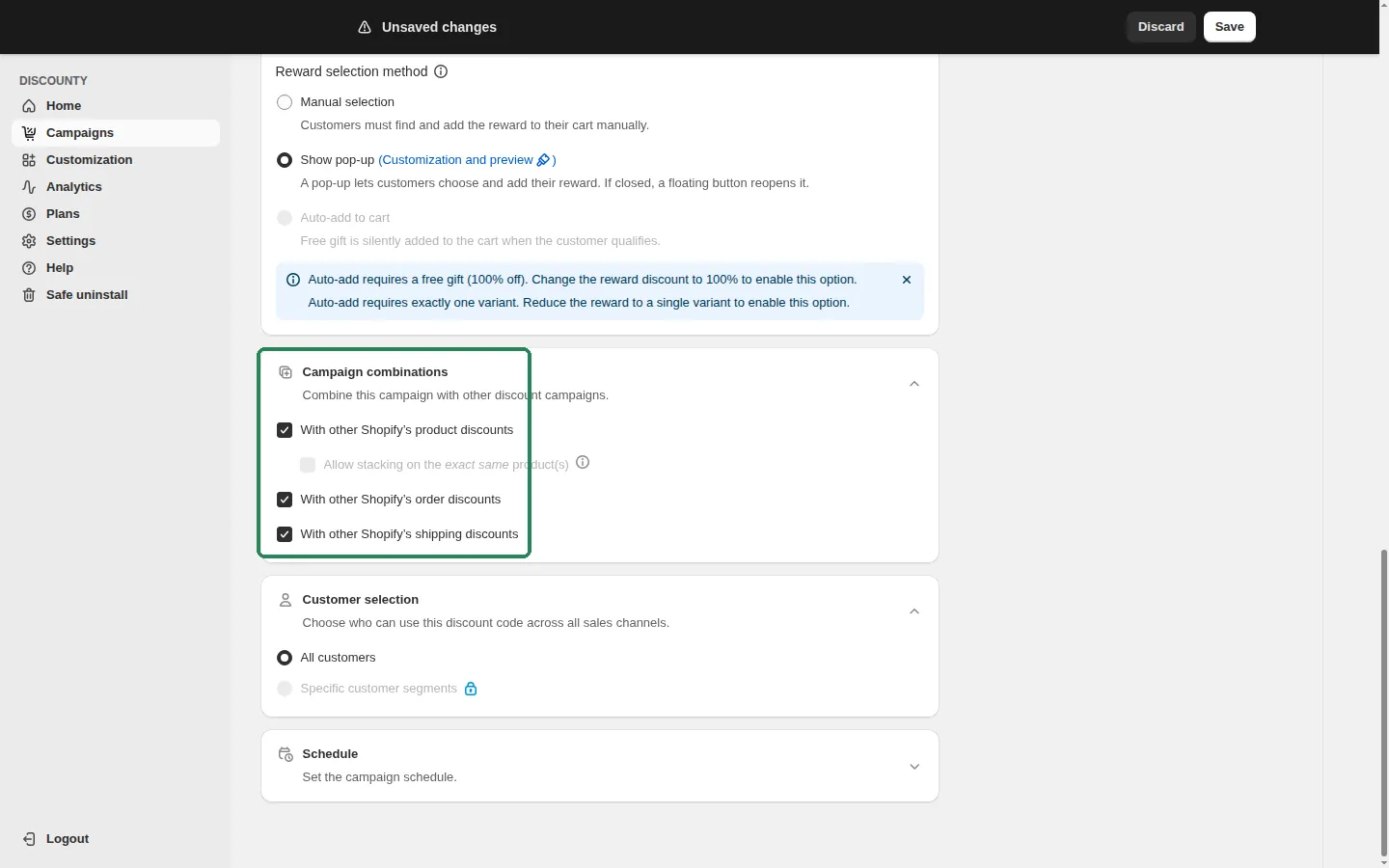
Yes. The Buy X get Y discount only targets the reward (Y) items, so discounts on the qualifying (X) items aren't affected. What happens on the reward item is controlled by the Campaign combinations card, where you tick With other Shopify's product discounts, With other Shopify's order discounts and With other Shopify's shipping discounts (all on by default). When a product is eligible for two or more product discounts, only the best one applies by default. For example, if a product already has 10% off and your Buy X get Y campaign gives it 50% off, the customer gets the 50%. Percentage rewards are calculated on the product's current price in the cart.
To apply both discounts to the same line, use Allow stacking on the exact same product(s) to pick other product-discount campaigns that apply on top of this one. Same-line stacking needs Shopify Plus and the Discounty plan or above. See How do I stack two product discounts on the same item? and How do Discounty campaigns combine with each other, Shopify discounts, and third-party app discounts?
If several reward items qualify, which one gets the discount?
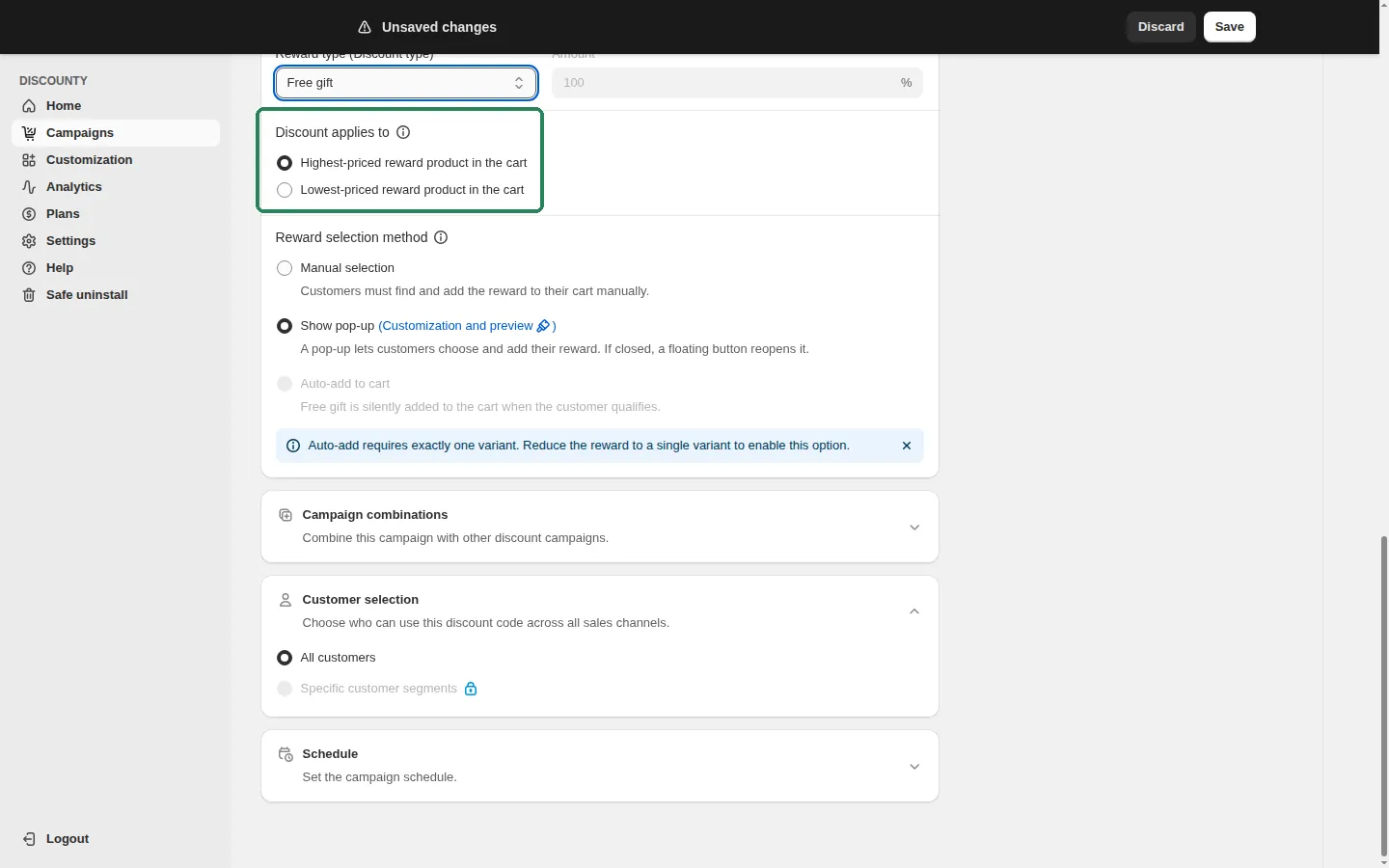
In Reward configuration, Discount applies to lets you choose Highest-priced reward product in the cart or Lowest-priced reward product in the cart (the lowest-priced option is available on the Essential plan and above). Discounty then discounts up to the Get Y quantity, starting from the highest- or lowest-priced eligible reward item. Your choice is shown in the campaign's Promotion summary.
How many reward products can I select?
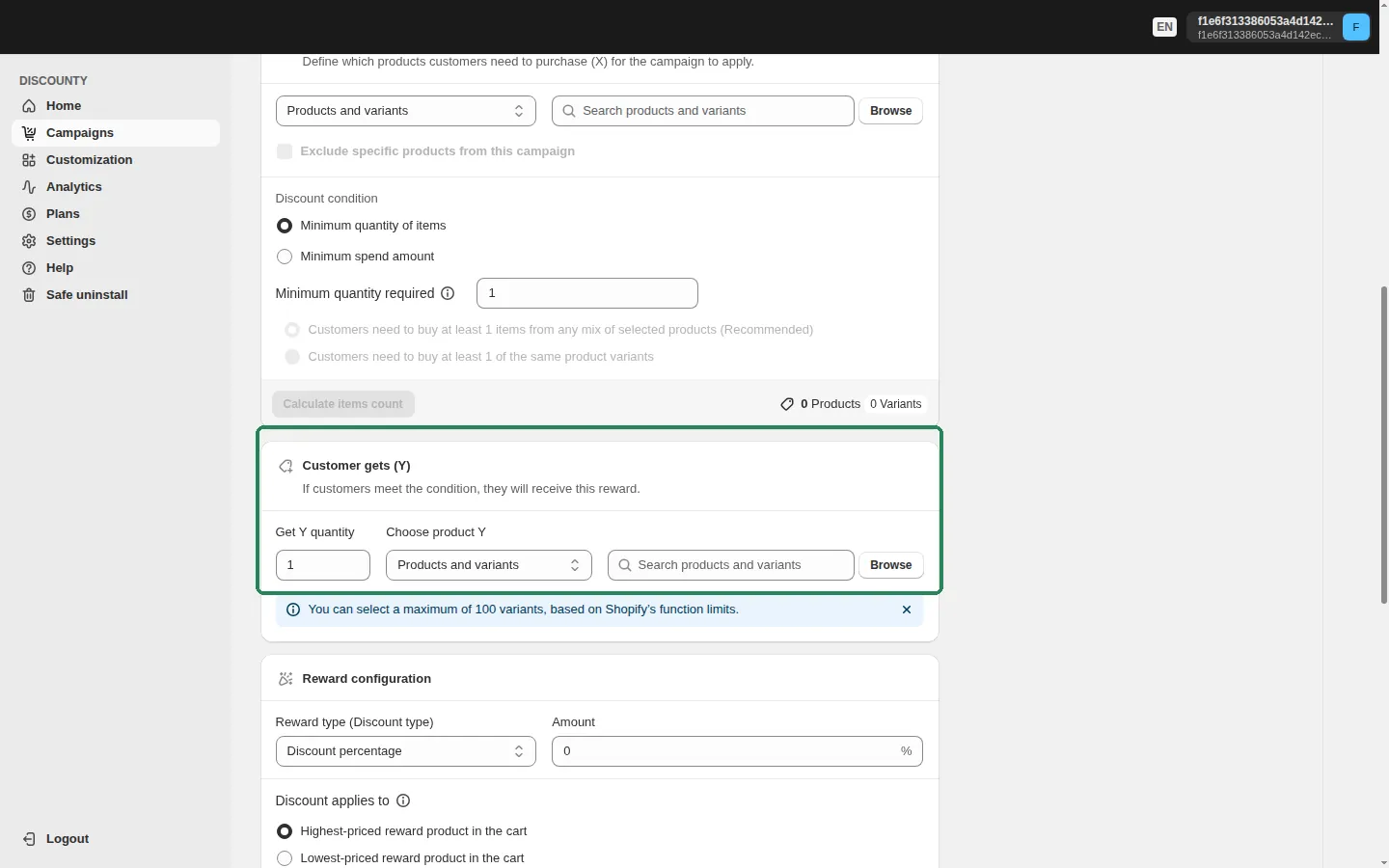
When Choose product Y is set to Products and variants, you can select up to 100 variants, based on Shopify's function limits. You can also choose the reward by Collections, Product tags or All store. Note that Show pop-up is only available with Products and variants.
Is there a limit on how many Buy X get Y campaigns I can run?
Each Buy X get Y campaign creates one automatic discount in Shopify, and Shopify allows up to 25 active automatic discounts at a time (including discounts from apps). If you're already at the limit, you can't create a new Buy X get Y campaign, and a scheduled campaign that would take you above 25 when it goes live won't be created either. Review your active and scheduled campaigns before you schedule a new one. Your plan also limits how many campaigns you can create. Details are in Is there a limit on the number of campaigns I can create?
Does Buy X get Y work with discount codes or on Shopify POS?
Buy X get Y can be an automatic discount, where customers don't enter a code, or it can use a discount code that customers enter at checkout. You choose this in the Discount method card when you create the campaign, and it can't be changed afterwards. Whether an automatic campaign can be used together with a discount code the customer enters depends on the Campaign combinations settings above.
On Shopify POS, automatic discounts need POS Pro. Locations on POS Lite won't apply the discount. The reward pop-up is an online-store feature. At the register, staff use the Discounty Campaigns tile on the POS home screen: its Ready to add section lists the rewards the current cart has earned, and staff tap Add to put a reward in the cart. For campaigns set to Auto-add to cart, the Discounty Free Gifts tile adds the gift for them when the cart qualifies, removes it if the cart stops qualifying, and doesn't re-add a gift that staff removed (or that failed to add) until the cart is emptied. See How do Discounty discounts work with Shopify POS?
Why doesn't a reward product appear in the pop-up?
When the Reward selection method is Show pop-up, the pop-up only lists reward variants that are available for sale in your store. A variant that is out of stock (with Continue selling when out of stock turned off), or a product that isn't available on your Online Store sales channel, is hidden. If none of the campaign's reward products are available, the pop-up doesn't open. Restock the product, or turn on Continue selling when out of stock for it in Shopify, and it shows in the pop-up again within a few minutes. See How does the Buy X get Y reward pop-up work?.
Related articles
Need a hand? Contact our support team through the app — we're happy to help.
In Discounty: Buy X get Y See how Shopify Buy X Get Y offers work